Company directory software
Know your crew.
Crewhaven is a company directory, org chart and HR dashboard for companies of 100 to 2,000 people. Look anyone up in seconds, see who reports to whom, and keep announcements, events and holiday hours on one page.
What is in it
Six things, done plainly.
- 01
Search
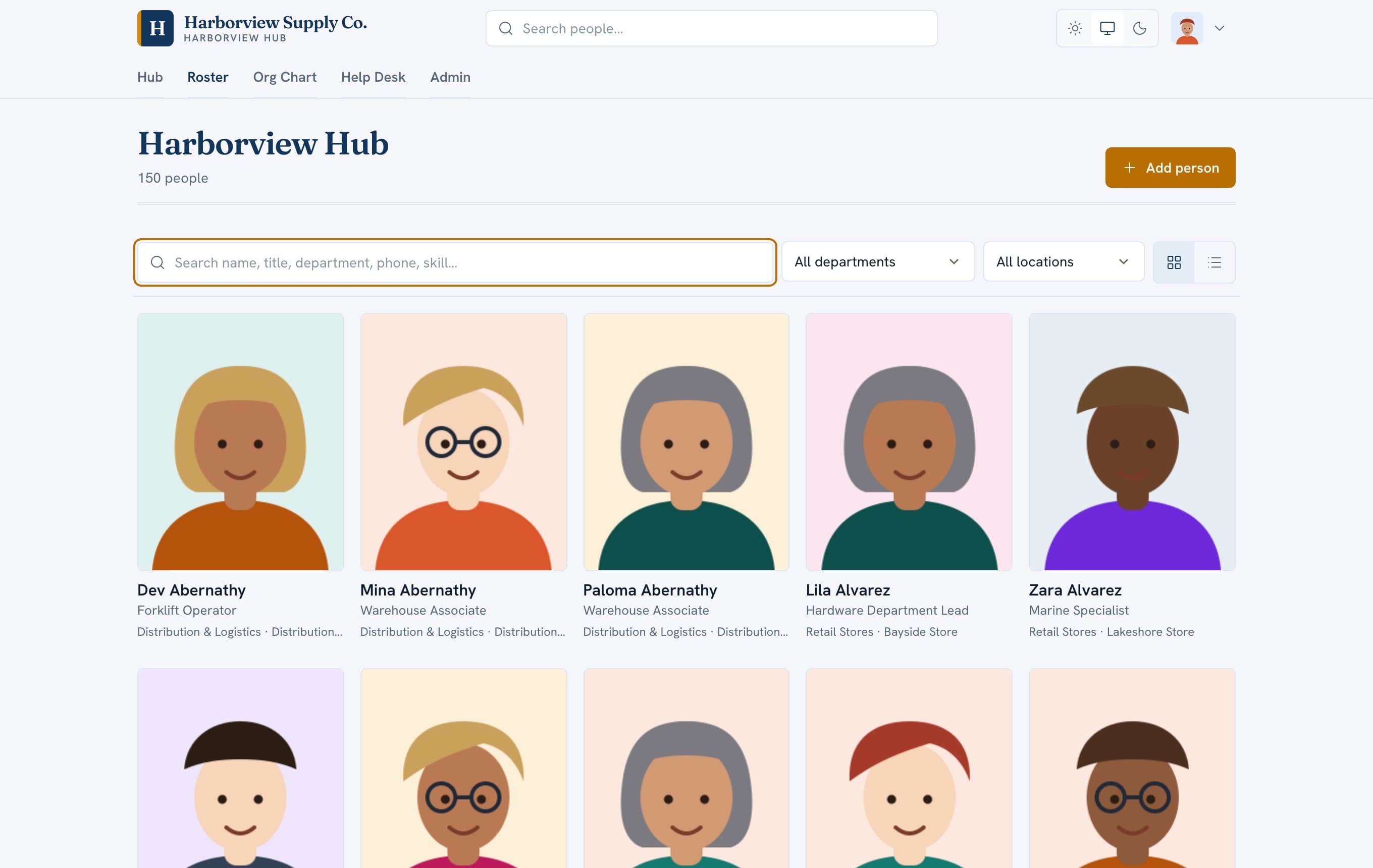
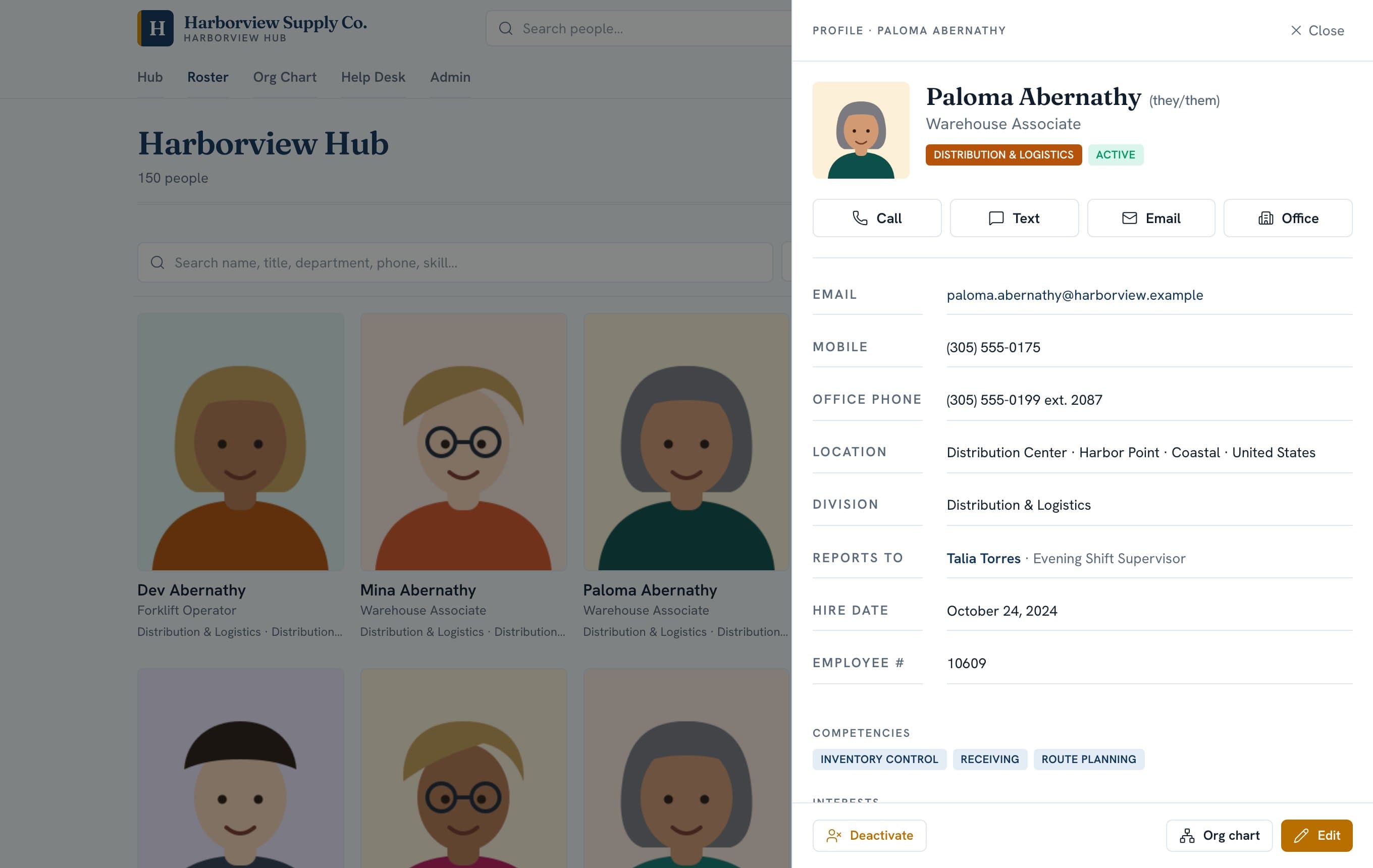
Find anyone by name, title, department, phone or skill. Each profile has one-tap call, text and email.
- 02
Org chart
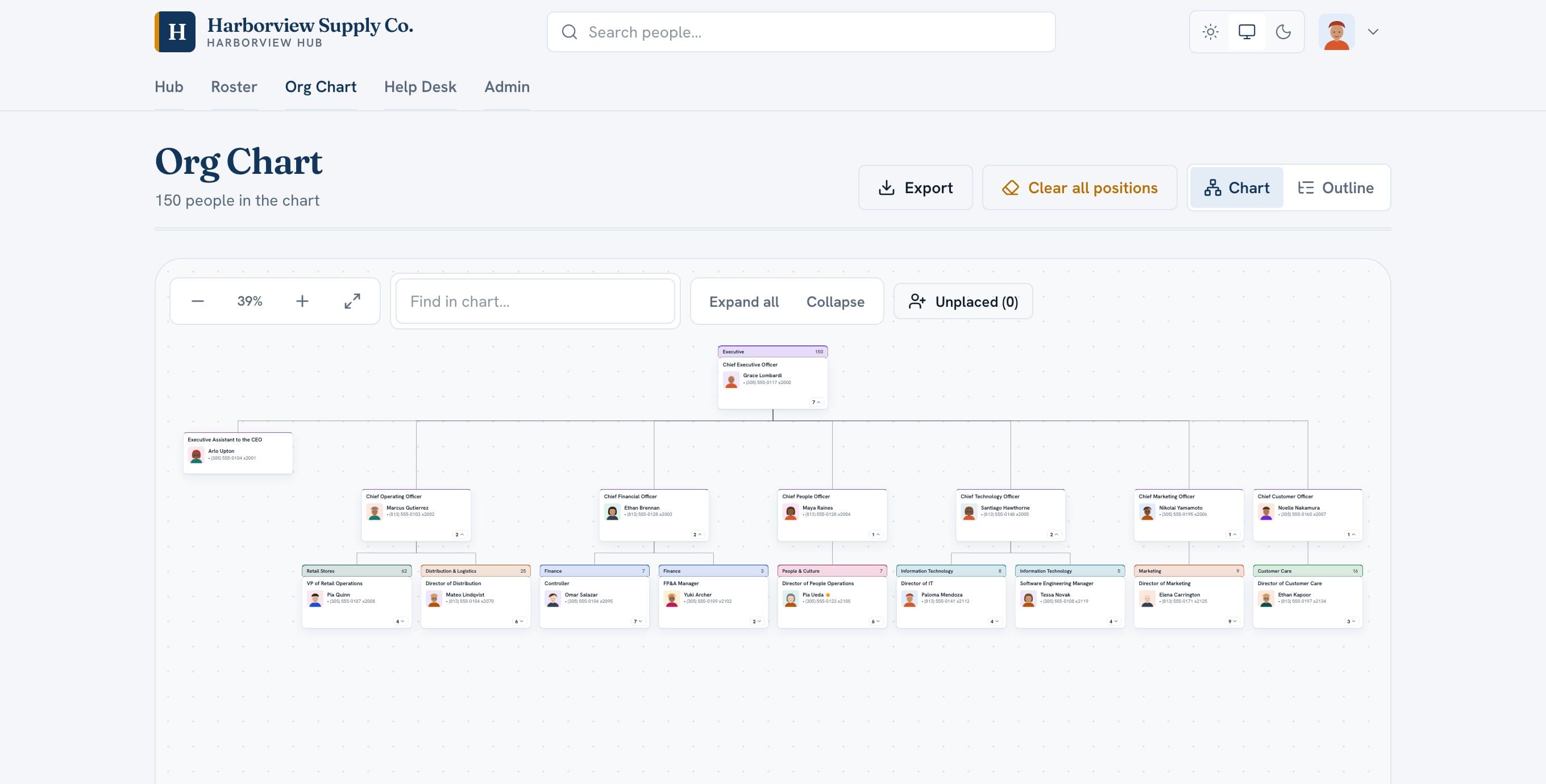
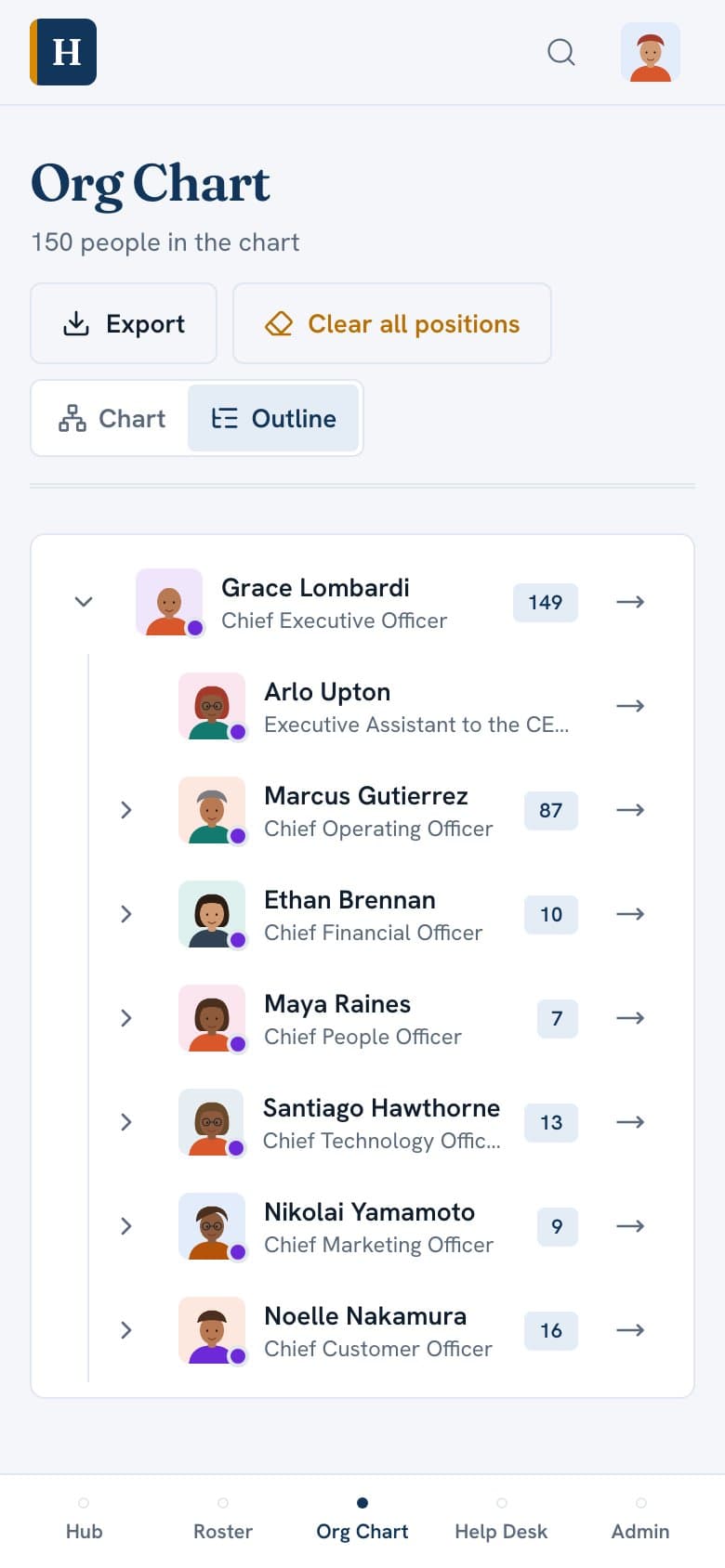
Drawn from each person's manager, so there is no second chart to keep current. Open roles show as empty seats.
- 03
News and calendar
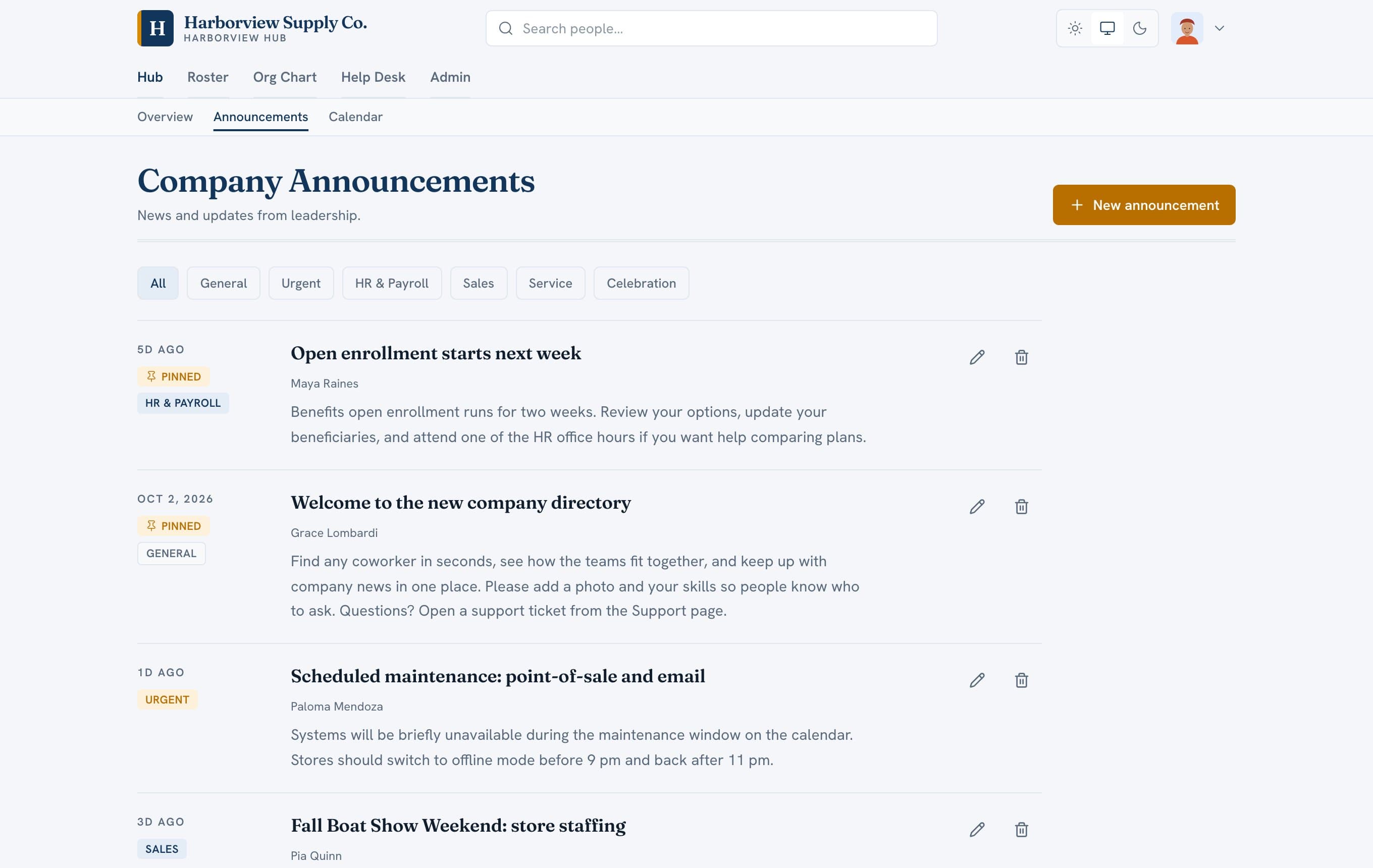
Pin announcements, mark them urgent, and post holiday hours and events where people already look.
- 04
Admin tools
Invite people in batches, deactivate leavers, read usage analytics, and export every record whenever you like.
- 05
Private HR fields
Birth date, employee number and termination details are visible only to admins and the person themselves.
- 06
Phones
Installs from the browser on any phone. The iOS app is live and the Android app is in development.
Directory
Find anyone in a second.
Every profile shows who the person reports to and what they are good at, so people know who to ask.
- Filter by department and location
- Out-of-office and time-off badges, synced from Microsoft 365
- Photos, pronouns, skills and interests
Org chart
A chart that keeps itself current.
The chart is drawn from each person's manager. Nobody maintains a separate file.
- Admins reorganize by dragging a person onto a new manager. Nothing saves until they confirm.
- Search, zoom and collapse branches, or switch to an outline that reads well on a phone.
- Export the chart whenever you want, no request needed.
Company hub
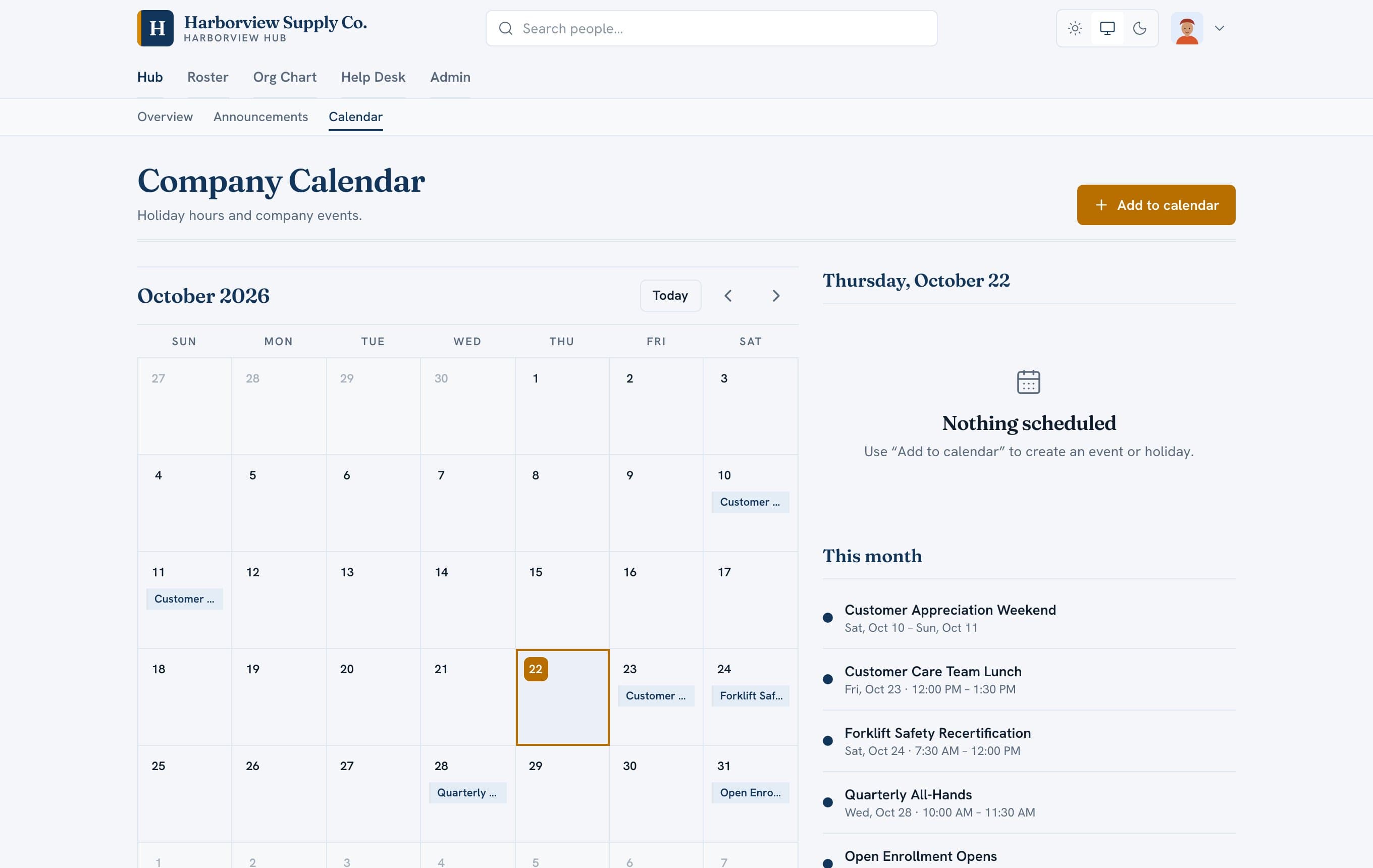
News and a calendar people actually open.
Pin announcements, mark them urgent or a cause for celebration, and post holiday hours and company events in one place.
For administrators
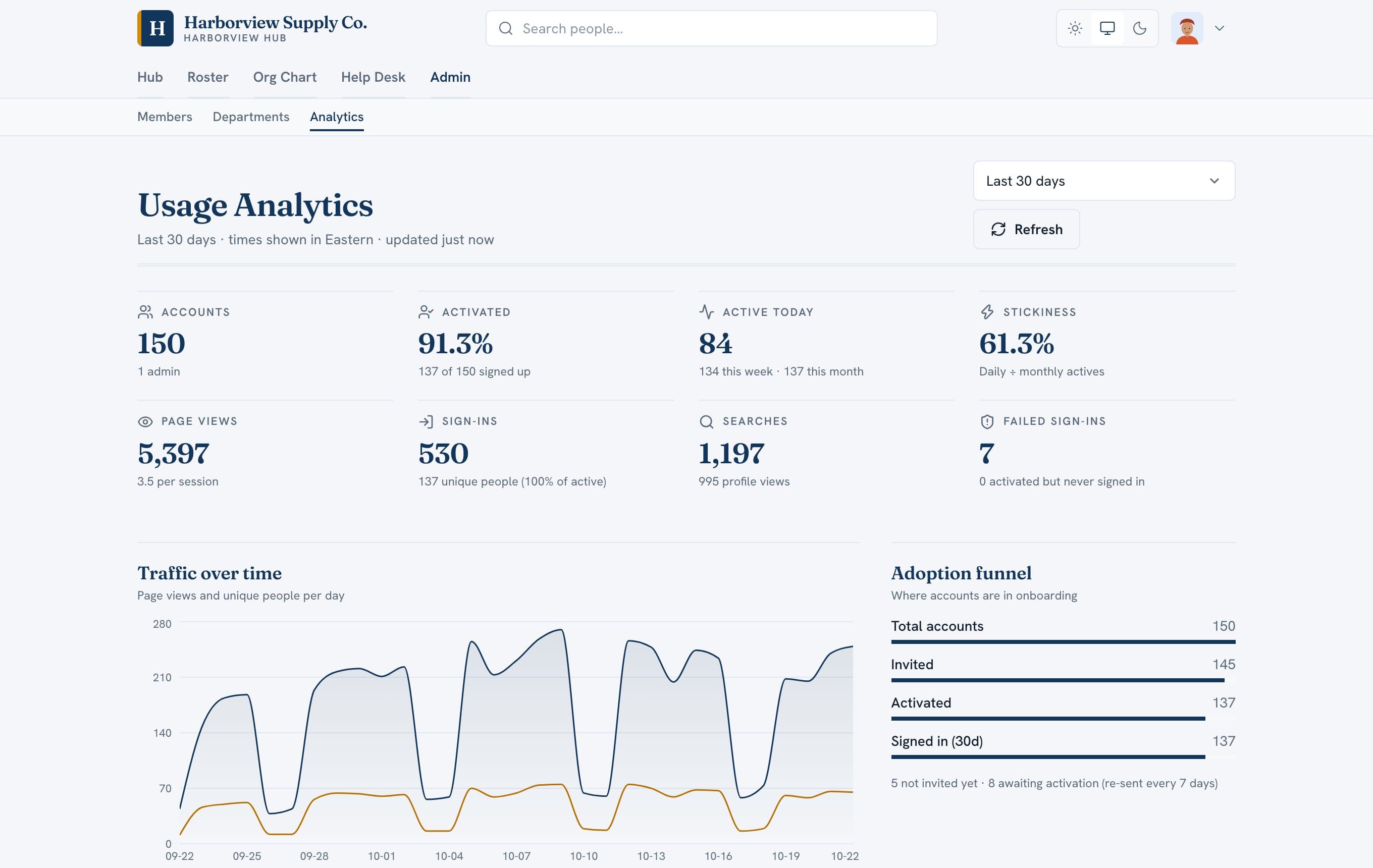
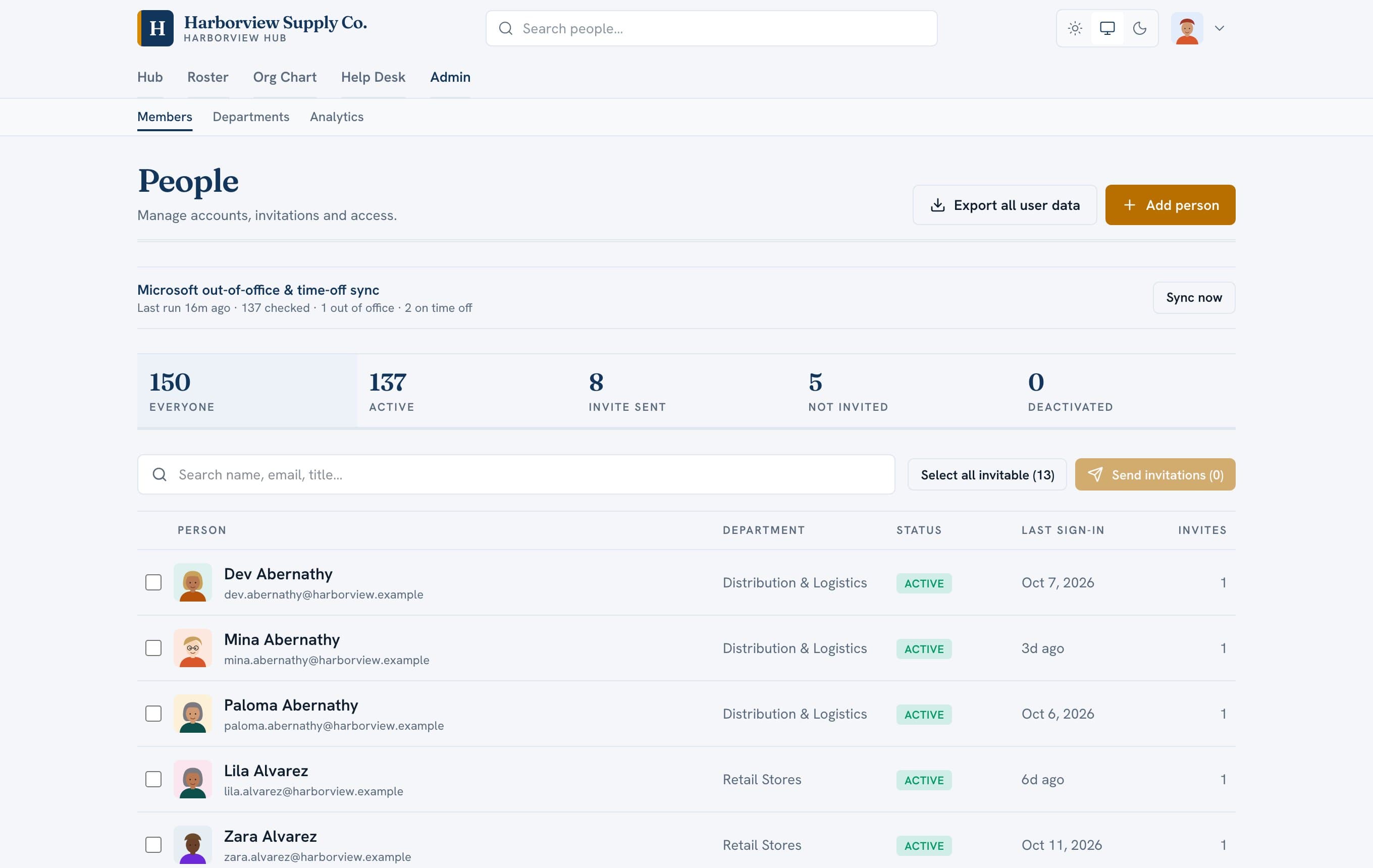
Admin tools that don't need a training course.
- Invite people in batches. No email goes out until an admin sends it, and anyone who hasn't activated gets a reminder every seven days.
- Private HR details such as birth date, employee number and termination information are visible only to admins and the person themselves.
- Usage analytics show who signs in, what people search for and which teams use it most.
- Support tickets are built in, and email replies land in the right thread.
Mobile
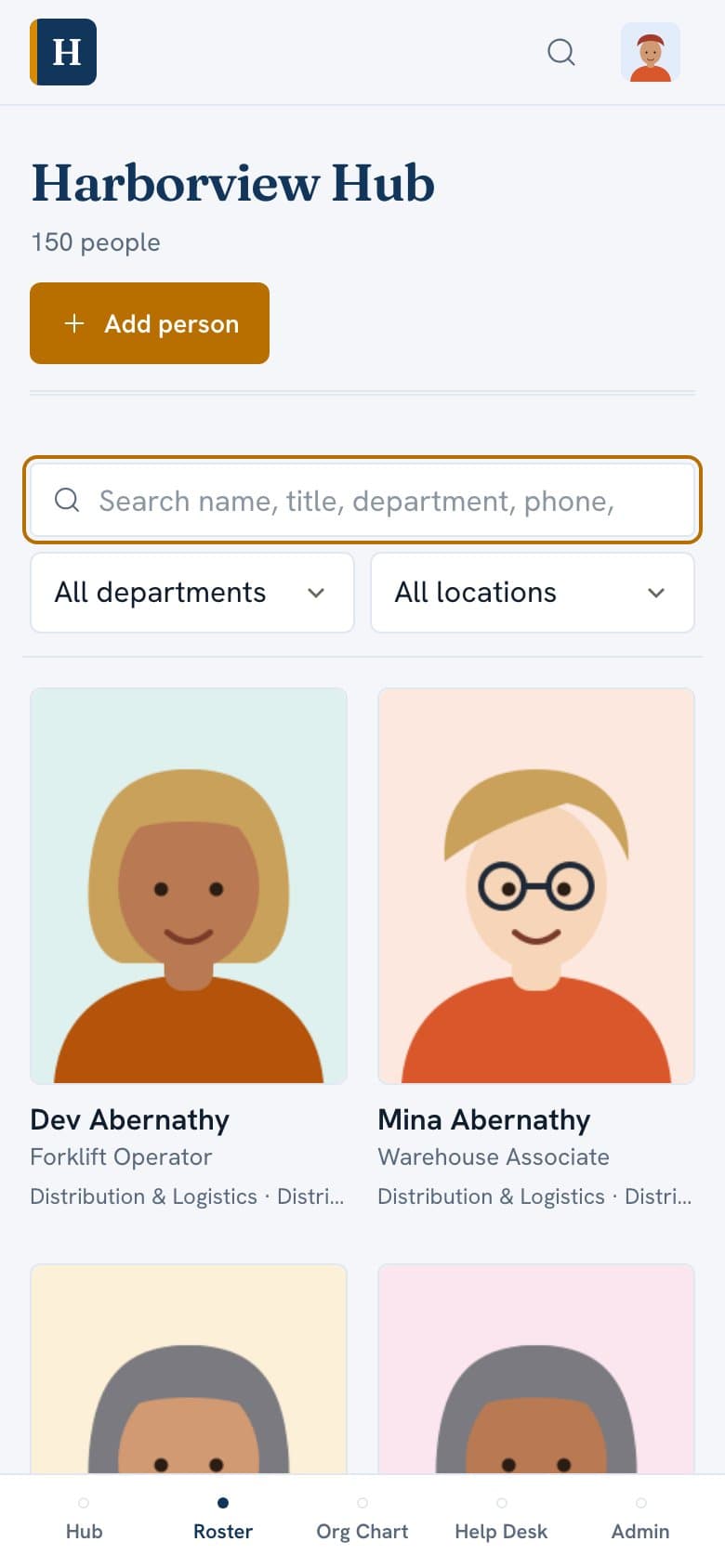
On every phone.
Crewhaven installs from the browser as an app on any phone. The iOS app is live. The Android app is in development.
- Tap a coworker to call, text or email
- A phone-friendly org outline
- Sign in with Microsoft 365, no new password to remember
Branding & Personalization
Your name on it.
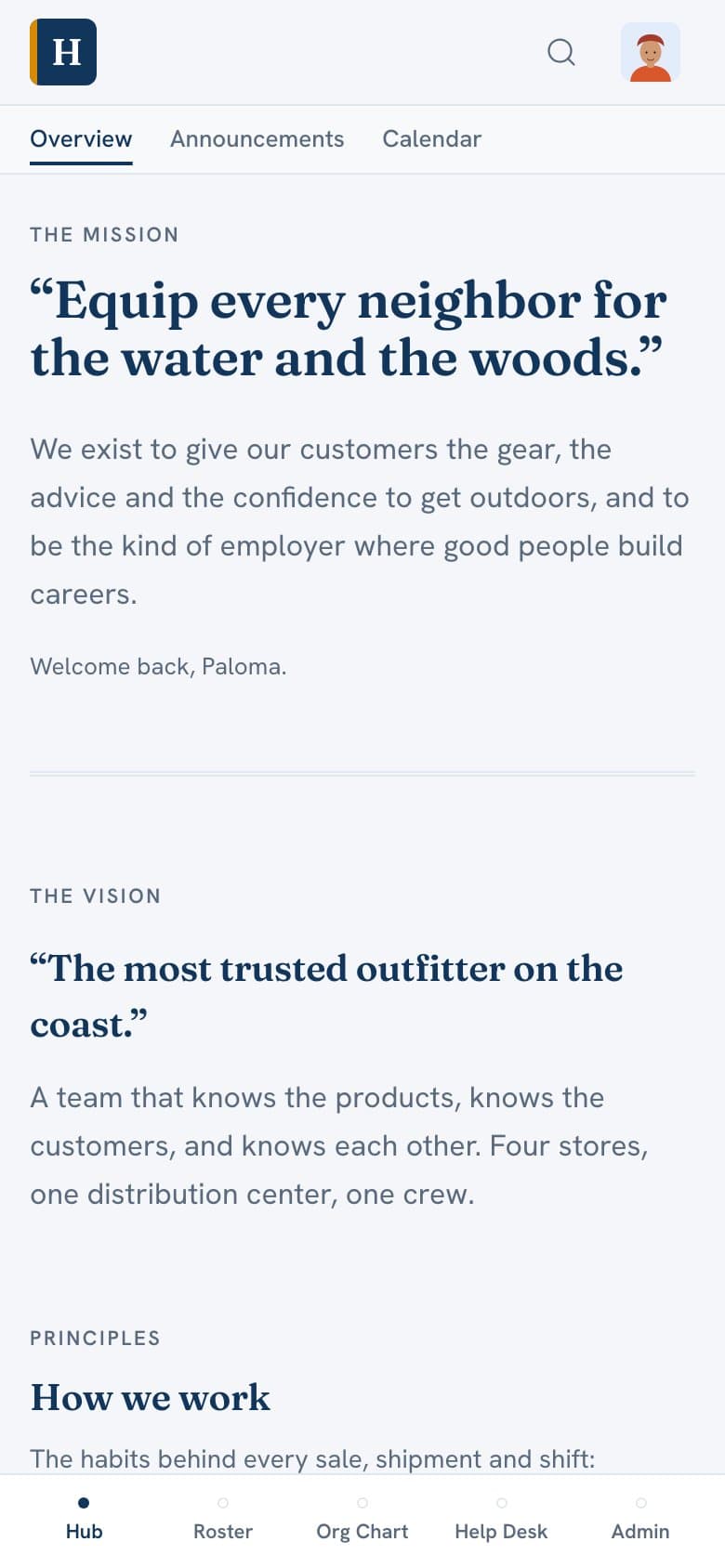
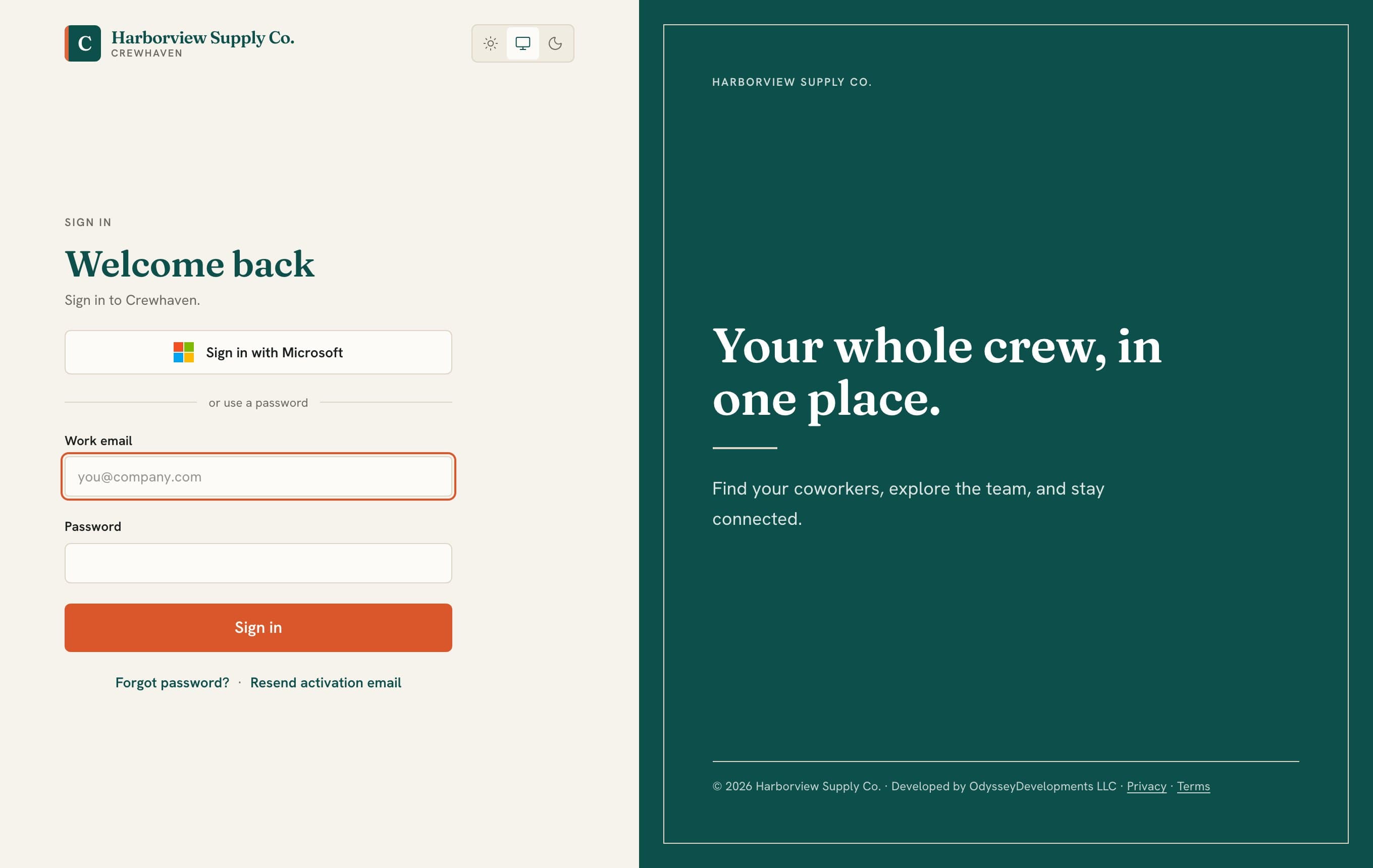
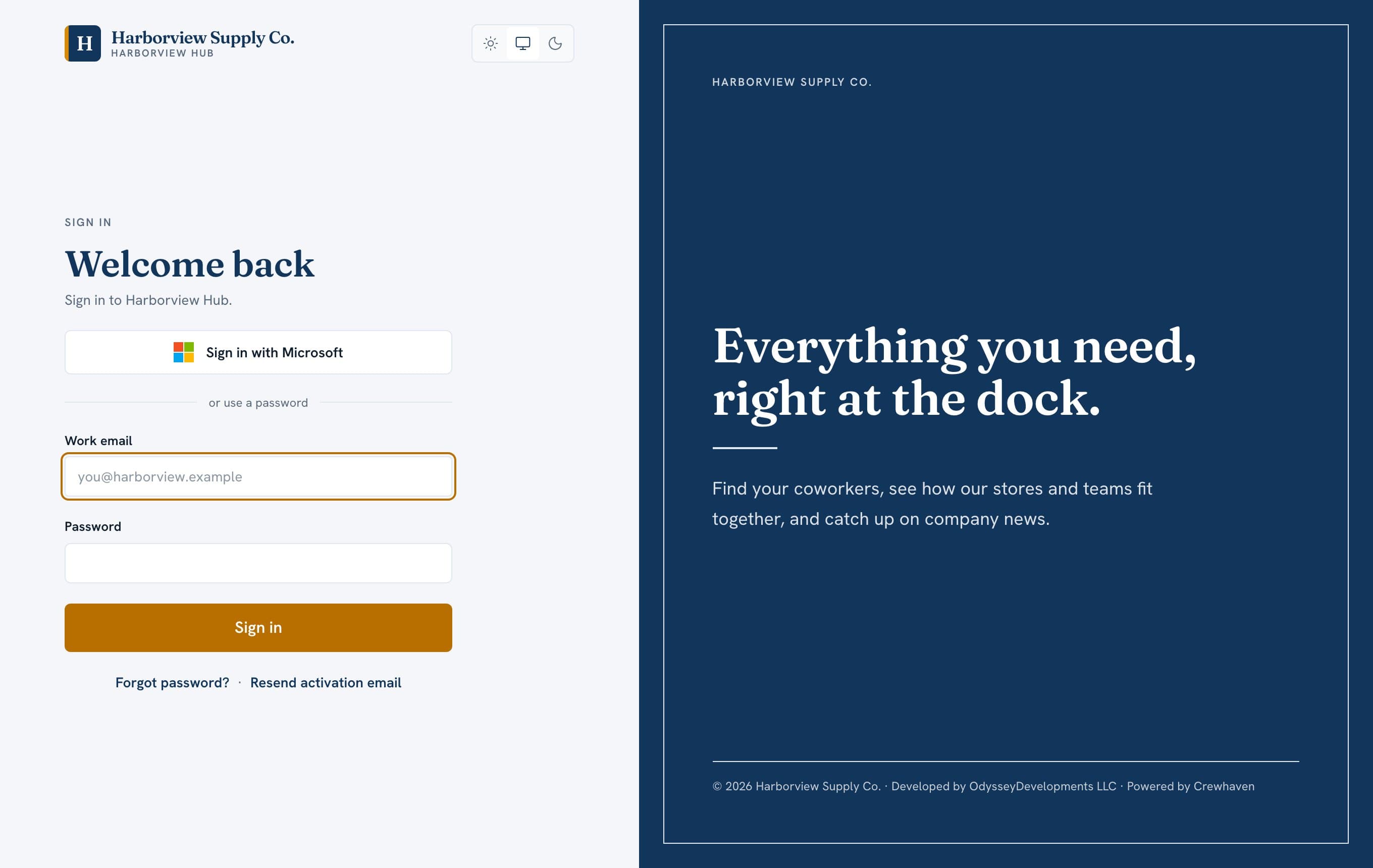
The Branding & Personalization package makes Crewhaven your company's own product. Employees see your name, logo and colors everywhere, including in the iOS app, and in the Android app when it ships.
- A product name of your choice, like Harborview Hub
- Your logo, colors and app icon
- Your own web address
- Invitations sent from your own mailbox
- Your mission, vision and values on the company page
- Brand updates included for as long as you subscribe
Pricing
Priced per employee, about a dollar.
You pay for the people in your directory, so the price follows your headcount. Employees are counted in blocks of 10, with a minimum of 100.
| Plan | Per employee, per month | Set-up, once |
|---|---|---|
| Crewhaven StandardThe full product with the Crewhaven name and look. | $0.80 | $2,000 |
| BrandedStandard plus the Branding & Personalization package. | $1.00 | $3,500 |
- Pay yearly and take 10% off. For example, 250 employees on Branded is $250 a month, or $2,700 a year.
- Every plan includes hosting, backups, security updates, 24/7 support tickets and up to three hours a month of small changes.
Responsibilities
Your IT team runs it. We run the service.
We sell Crewhaven as a product and a service. The administrators at your company, in IT or HR, are the people who use the admin tools and see what is in it. We are not looking over their shoulders.
What your administrators do
- Invite people and decide who has admin rights
- See every person’s record, including private HR details, and the usage analytics
- Connect your own Microsoft 365 tenant, and take that access away whenever they like
- Decide what goes in, and export all of it at any time
- Deactivate people, and ask us to erase a record permanently
What we do
- Develop Crewhaven and keep it updated
- Host it, back it up and keep it secure
- Set up your first administrator accounts at launch, for the people you name
- Support your administrators through support tickets, around the clock
We do not browse your data or use it for our own purposes. Our staff open it only to fix a problem you reported, to keep the service running and secure, to carry out an instruction from your administrators such as an export or an erasure, or when the law requires. They are bound by confidentiality. Nobody at your company or ours can read anyone’s password, because passwords are stored only as one-way hashes.
Data handling
Built to be trusted with people data.
- Sensitive HR fields are visible only to admins and the person they belong to.
- Nothing is emailed until an admin chooses to send it.
- Employees sign in with Microsoft 365, and out-of-office status syncs from Entra ID.
- Your data is yours. Export the full chart and every user record whenever you like.
FAQ
Questions about company directory software.
What is Crewhaven?
Crewhaven is company directory software: a searchable employee directory, an org chart that draws itself from reporting lines, and a company hub for announcements, events and holiday hours. It is built for companies of 100 to 2,000 people.
Can Crewhaven replace the directory tool we use now?
Usually. If you are comparing employee directory and org chart tools, Crewhaven covers the core job (find anyone, see who reports to whom, keep the company informed) with a flat price of about $1 per employee per month and an optional package that puts your own name, logo and colors on the product.
How much does Crewhaven cost?
Crewhaven Standard is $0.80 per employee per month and Branded is $1.00 per employee per month. Employees are counted in blocks of 10 with a minimum of 100, and paying yearly takes 10% off. Set-up is a one-time $2,000 for Standard or $3,500 for Branded.
Does Crewhaven include an HR dashboard?
Yes. Administrators get a digital employee dashboard with people and invitation status, departments, usage analytics, private HR details such as birth date and employee number, and one-click exports of every record. Only admins and the person themselves can see the private fields.
Can employees sign in with Microsoft 365?
Yes. Employees sign in with Microsoft 365, and out-of-office and time-off status syncs from Microsoft Entra ID. Your IT team connects your own tenant and can remove that access at any time.
Is there a mobile app?
Crewhaven installs from the browser on any phone, and the iOS app is live. The Android app is in development.
Can the directory carry our company name and logo?
Yes. The Branding & Personalization package gives the product your name, logo, colors, app icon, web address and invitation emails, so employees see your company everywhere.
Who administers the directory?
Your own IT or HR administrators. Crewhaven develops, hosts, backs up and secures the service and supports your admins through support tickets, but does not browse your employee data.
Read more: company directory software · switching from another directory tool
Consultation
See Crewhaven with your own people in it.
Pick a time for a 30-minute call. We'll walk through Crewhaven with your name and logo on it, and answer questions about pricing and setup.
Prefer email? Write to crewhaven@odysseydevelopments.dev.